ChatGPT Agent Mode Not Showing? Here’s What Replaced It
ChatGPT agent mode missing from the tools menu? OpenAI says agent is no longer available. What replaced it, Work and cloud browser, and how to use them.
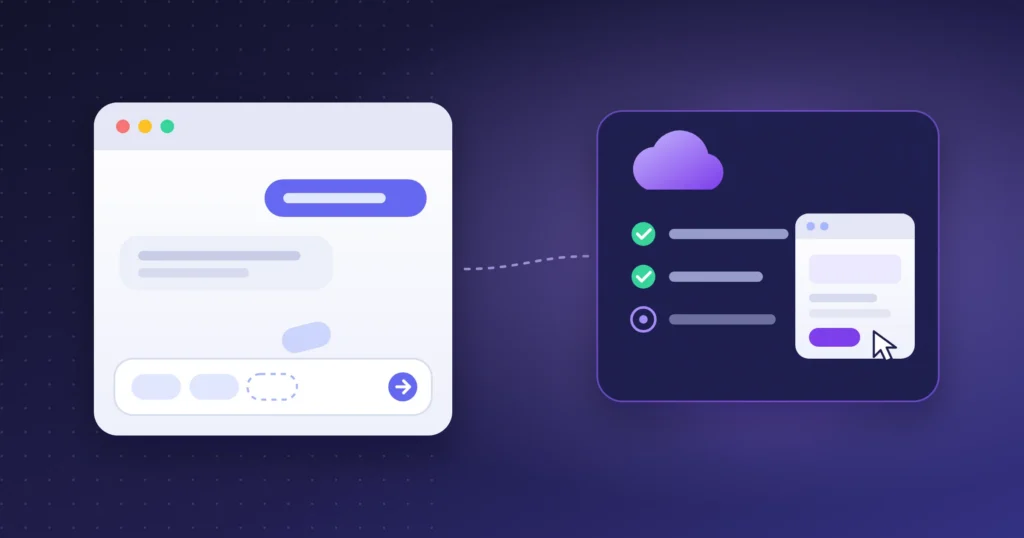
Table of contents
Quick answer
If agent mode has vanished from your ChatGPT tools menu, your account probably isn’t broken. OpenAI’s help page for ChatGPT agent now opens with this line: “ChatGPT agent is no longer available.” It points to ChatGPT Work for longer, multi-step tasks, and to cloud browser for tasks on websites.
Work and cloud browser are for paid plans. Cloud browser excludes the Free and Go plans. Both are still rolling out, so some paid accounts may not see them yet.
Searches for “ChatGPT agent mode not showing” mostly turn up OpenAI Community forum threads. People on paid plans, including Plus and Pro, report that the option disappeared from the tools menu. The replies usually suggest the standard fixes: log out, clear the cache, try another browser.
Those steps won’t bring it back, and the reason is on OpenAI’s own help page. This guide explains what changed, why the official documentation is confusing, and what to use instead. Everything here comes from OpenAI’s help centre, checked on 27 October 2026. OpenAI updates these pages often, so check them again before you rely on the details.
What OpenAI’s help page says now
The help article titled “ChatGPT agent” begins its overview with three sentences:
“ChatGPT agent is no longer available. Use ChatGPT Work for longer, multi-step tasks and finished deliverables. For supported browser workflows, see Using cloud browser in ChatGPT.”
That is the official explanation for the missing option. Agent mode hasn’t been hidden from your account by mistake. It has been replaced.
Why the page looks contradictory
Below that notice, the same article still contains the old instructions. It explains how to start agent mode from the tools menu or with /agent. It also lists the plans that included it and their monthly limits: 40 messages a month on Plus and 400 on Pro. If you scroll past the first paragraph, the page reads as though agent mode is still available.
When a help page contradicts itself, go by the newest statement, the notice at the top. The setup steps below it describe a feature that has gone.
Fixes that won’t bring agent mode back
Because the feature has been retired, these common suggestions don’t apply:
- Logging out and back in
- Clearing your browser cache or trying another browser
- Updating the mobile or desktop app
- Upgrading from Plus to Pro to “unlock” it
Updating the desktop app is still worth doing, for a different reason: OpenAI says some Work features in the desktop app need the latest version.
What replaced it: ChatGPT Work
OpenAI’s help page on ChatGPT Work splits ChatGPT into two experiences. Chat is “for fast, conversational assistance and everyday questions”. Work “is an agent designed for longer, multi-step work and finished deliverables”. Codex, the coding tool, stays separate.
If you used agent mode to research a topic and come back with a report, a table or a document, Work is the intended replacement.
How to open Work
- Web and mobile: OpenAI says Work is available “for eligible paid plans”. You choose Work instead of Chat when you start a task.
- Desktop app: select ChatGPT from the menu, then choose Work from the toggle. Chat and Work conversations appear together under Recents.
- Projects: from an existing project, you can choose Work to start a task that uses that project’s context.
Work’s usage is counted the same way as Codex’s, according to OpenAI, so it isn’t the old “40 agent messages a month” allowance. How much a task uses depends on the task.
For website tasks: cloud browser
Agent mode’s best-known trick was using a virtual browser to click through websites. That job now belongs to cloud browser. OpenAI describes it as giving ChatGPT Work “its own browser on a separate computer in the cloud”. It can read pages, click buttons, fill in forms and work on sites where you’re signed in.
You don’t switch it on separately. You start a task in Work, and ChatGPT decides whether to use cloud browser, a connected app, or both. Its main controls:
- Sign-ins: when a task reaches a supported sign-in page, ChatGPT pauses and asks you to sign in through a secure form. OpenAI says the model can’t see the username and password you enter there, and ChatGPT doesn’t store them.
- Website permissions: by default, ChatGPT asks before visiting a new website. You can change this under Settings → Cloud browser.
- Leaving it running: you can start a task and close your computer. ChatGPT keeps working and pauses when it needs your input or confirmation.
Agent mode vs. what replaced it
| Agent mode (retired) | Work + cloud browser | |
|---|---|---|
| How you started it | Tools menu or /agent |
Choose Work instead of Chat |
| Browsing websites | Built-in virtual browser | Cloud browser, chosen automatically when needed |
| Plans | Plus, Pro, Business, Enterprise, Edu | Eligible paid plans; cloud browser excludes Free and Go |
| Usage | Fixed monthly messages (40 on Plus, 400 on Pro) | Counted like Codex usage; varies by task |
From OpenAI’s help pages “ChatGPT agent”, “ChatGPT Work and Codex” and “Using cloud browser in ChatGPT”, checked 27 October 2026.
If you can’t see Work either
- Check your plan. Work is for eligible paid plans, and cloud browser isn’t on Free or Go.
- Allow for the rollout. OpenAI says availability “can vary during rollout”. A paid account may get it later than others.
- On a Business, Enterprise or Edu workspace, ask your admin. Workspace settings and roles control who can use Work, and an admin can turn it off.
- Update the desktop app. OpenAI asks desktop users to run Menu → Check for Updates if Work features are missing.
Be careful with tasks in your accounts
Any AI agent that browses for you can be targeted by prompt injection: hidden text on a web page or in an email that tries to steer the agent. OpenAI’s old agent help page warned about exactly this. Its example was a malicious comment trying to get the agent to send a password-reset code to an attacker. Some simple habits help:
- Give specific instructions. Avoid open-ended requests like “check my email and handle everything”.
- Keep the “ask before visiting new websites” setting on.
- Read confirmation requests before approving them, especially for payments, sharing files or changing account settings.
Our guide to whether AI browsers are safe covers the research on these attacks in more detail.
Other options
If Work doesn’t suit you, agent features also exist outside ChatGPT. Our list of ChatGPT Atlas alternatives compares browsers with built-in agents, and AI Agents Explained covers what these tools can and can’t do reliably.
Frequently Asked Questions
Why is ChatGPT agent mode not showing?
OpenAI’s help page now says “ChatGPT agent is no longer available”. The option was removed, so it won’t come back by logging out, clearing your cache or changing browsers.
What replaced ChatGPT agent mode?
ChatGPT Work, for longer multi-step tasks and finished deliverables, and cloud browser, which Work uses for tasks on websites.
Is ChatGPT Work available on the free plan?
OpenAI says Work is for eligible paid plans, and cloud browser is not available on Free or Go.
Do I still get 40 agent messages a month on Plus?
No. That limit applied to agent mode. Work’s usage is counted the same way as Codex’s, and the amount a task uses varies.
Sources (checked 27 October 2026): OpenAI: ChatGPT agent, OpenAI: ChatGPT Work and Codex, OpenAI: Using cloud browser in ChatGPT.
Keep reading
 AI Tools
Gemini 4 Carbon: Release Date, Price and Who Can Use It
Gemini 4 Carbon was announced October 28, but most people can’t use it yet. Who has access, what it will cost, the real benchmark gap, and what to…
 AI Tools
ChatGPT vs Claude (2026): Which AI Is Better for You?
ChatGPT vs Claude in October 2026: GPT-6 vs Claude Opus 5.5, independent scores, writing, coding, images, voice and $20 plans compared. Pick the right one.
 AI Tools
ChatGPT Free vs Go vs Plus: Which GPT-6 Model Does Each Plan Get? (2026)
ChatGPT Free vs Go vs Plus after GPT-6: which model each plan gets (Luna, Sol, Astra), real limits, what Go is missing and which plan is worth paying…